
A good rack can make a home lab, media closet, or small office setup much easier to manage. It gives your router, switch, patch panel, NAS, modem, UPS, and other gear a single organized place instead of leaving everything stacked on a shelf or on the floor.
The best rack for home use depends on how much equipment you have, how much space you can spare, and whether you want a wall-mounted cabinet, an open-frame rack, or a small standalone solution. The picks below focus on practical choices that work well in real homes, not oversized enterprise racks that are hard to place or noisy to live with.
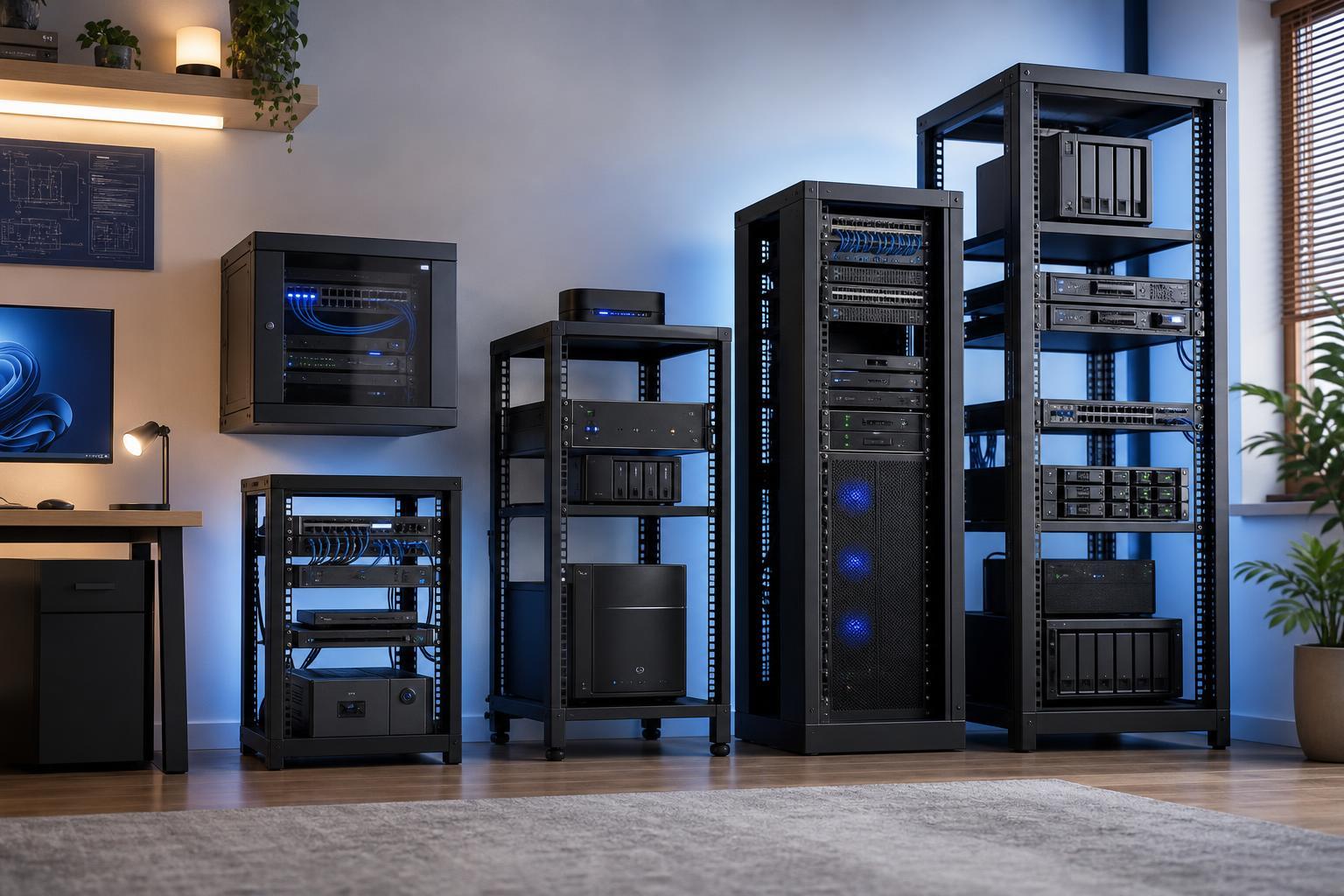
What to Look for in a Home Server or Network Rack
Before choosing a rack, think about how you will actually use it. Home setups usually need a balance of size, airflow, noise, and easy access rather than maximum density.
- Rack size: 6U, 9U, 12U, or 18U are common home-friendly sizes. Choose enough room for current gear and a little expansion.
- Mounting style: Wall-mounted cabinets save floor space, while open-frame and standing racks are easier to access and usually cooler.
- Depth: Make sure the rack is deep enough for your switch, server, NAS, UPS, or shelf-mounted gear.
- Ventilation: Open frames breathe better, but enclosed cabinets can be cleaner and quieter if they have proper airflow.
- Cable management: Look for side openings, tie points, rear access, and enough space for patch cables and power cords.
- Weight capacity: This matters a lot if you plan to mount heavy equipment like a UPS or multiple servers.
- Noise and location: If the rack will sit near a living area, quieter gear and enclosed storage may matter more than raw convenience.
5 Best Server and Network Racks for Home
1. StarTech 4-Post Adjustable Open Frame Rack
This is a strong choice for home lab users who want an accessible, flexible rack for switches, small servers, NAS devices, and patch panels. An open-frame design makes it easy to install gear and improves airflow, which is helpful if your equipment runs warm.
The adjustable depth is especially useful because home equipment varies a lot. Some devices are shallow, while others need more room for cabling and rear connectors. A 4-post frame is also more stable than a simple wall shelf when you start stacking multiple devices.
- Good airflow for warm-running equipment
- Flexible depth for mixed hardware
- Easy to reach cables and ports
- Works well for a growing home lab
2. NavePoint Wall Mount Network Cabinet
A wall-mounted cabinet is often the best home option if you want a cleaner look and do not need a large floor rack. This style works well for networking gear such as a modem, router, switch, patch panel, and smaller UPS units.
A cabinet like this keeps equipment off the floor and can make a closet or utility room much tidier. It also offers a more finished appearance than an open rack, which matters if the setup is visible to guests or sits near a living area.
- Space-saving wall-mounted design
- Cleaner appearance than open racks
- Good for routers, switches, and patch panels
- Useful for small to medium home network builds
3. Tripp Lite Wall Mount Rack Enclosure
Tripp Lite wall-mount options are a solid middle ground between a simple open bracket and a full floor cabinet. They are useful when you want a secure enclosure for networking hardware but do not want to dedicate floor space to a larger rack.
This style is especially helpful if you are setting up a small patch panel and switch arrangement. An enclosure can make cable routing cleaner and gives you a more controlled place to store hardware. It is also easier to keep dust and accidental bumps away from your equipment.
- More protection than open wall mounts
- Neater routing for patch cables
- Good for structured wiring setups
- Helps keep hardware out of the way
4. Sysracks 12U Floor Standing Cabinet
If you want a more traditional rack with doors and side panels, a compact floor-standing cabinet can be a good home solution. A 12U size is often large enough for a growing network without becoming overwhelming in a home office or storage room.
A cabinet like this is useful when you want a cleaner visual appearance and better physical protection for your gear. It also gives you a bit more flexibility for shelves, cable organizers, and power distribution than very small wall mounts.
- Good balance of capacity and home-friendly size
- Enclosed design helps protect equipment
- Suitable for mixed networking and storage hardware
- Often easier to expand than tiny wall mounts
5. StarTech 6U Wall Mount Server Rack
For smaller home setups, a 6U wall-mounted rack can be the simplest and most affordable way to get organized. It is usually enough for a modem, router, switch, and a small patch panel without taking over the room.
This kind of rack works best when you know your setup will stay small or when you just need a tidy spot for core networking gear. It is not ideal for bulky storage servers or large UPS units, but it is very practical for basic network organization.
- Compact and easy to place
- Good for small networking builds
- Usually simpler to install than larger cabinets
- Helps keep essential gear off shelves and desks
Which Rack Is Best for Different Home Setups?
The right choice depends on what you are trying to organize. A rack that is perfect for a basic home network may not work well for a home lab with multiple servers or a NAS with heavy cabling.
- Choose an open-frame 4-post rack if you want the easiest access, strong airflow, and room to grow.
- Choose a wall-mounted cabinet if space is tight and you want a cleaner, more hidden installation.
- Choose a wall-mount enclosure if you want networking gear protected but do not need a full floor cabinet.
- Choose a compact floor-standing cabinet if you want a tidy, contained setup with more expansion room.
- Choose a small 6U wall rack if you only need to organize the core networking gear in a simple setup.
Home Rack Setup Tips
A good rack is only part of the setup. The way you mount and organize equipment makes a big difference in reliability and day-to-day use.
- Leave space for airflow around switches, servers, and NAS units.
- Use short patch cables where possible to reduce clutter.
- Label both ends of network cables before you install everything.
- Put heavier gear lower in the rack to improve stability.
- Plan for power strips or a rack-mount PDU early instead of adding one later.
- Keep fiber and Ethernet cables separate from power cords when practical.
- Do not pack a cabinet so tightly that you cannot reach ports or remove a device later.
Final Recommendation
For most home users, the best choice is usually a compact wall-mounted cabinet or a 4-post open-frame rack, depending on whether appearance or accessibility matters more. If you are building a serious home lab, go with the open-frame option. If you want a cleaner living-space-friendly setup, choose a wall-mounted cabinet or small enclosed rack.
The best server and network rack for your home is the one that fits your space, supports your current equipment, and leaves room for future changes without becoming hard to manage.